
1. Navigate to https://easypick.scmnow.com/mobile OR scan QR Code to Right.

2. You should get a Prompt to Add to Home Screen.
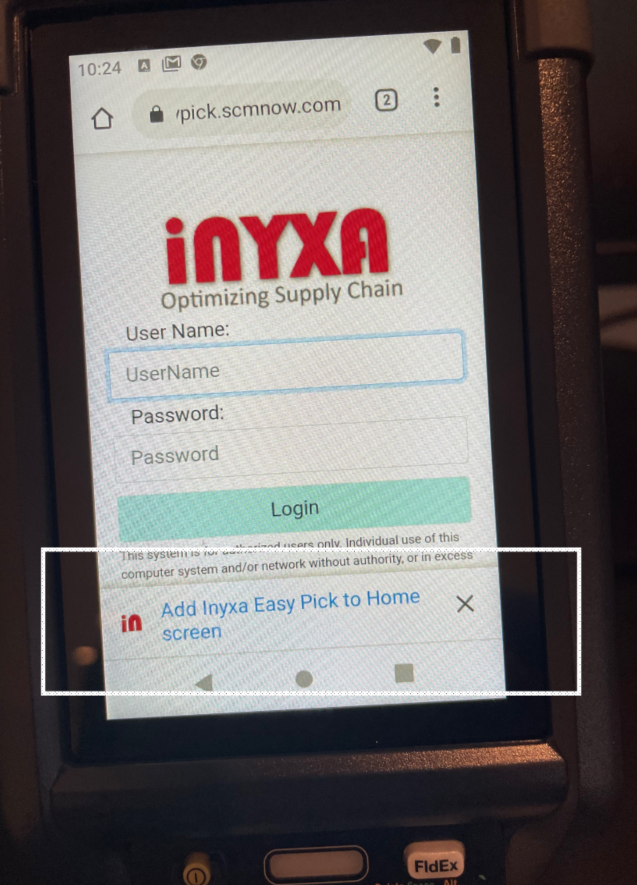
3 Now click Install.
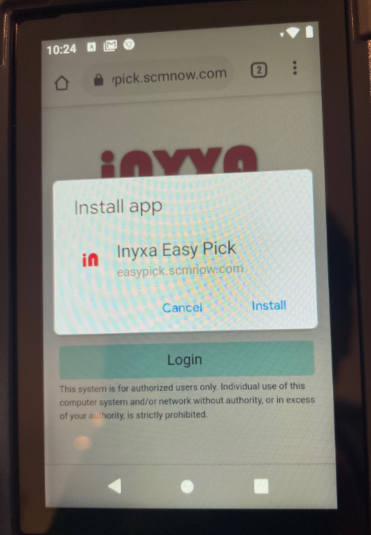
4. Close Browser, and open by clicking App.
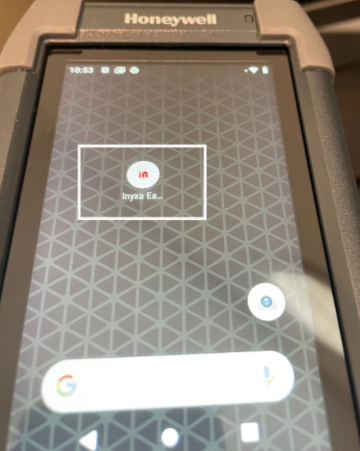
1. Navigate to https://easypick.scmnow.com/mobile OR scan QR Code to Right.
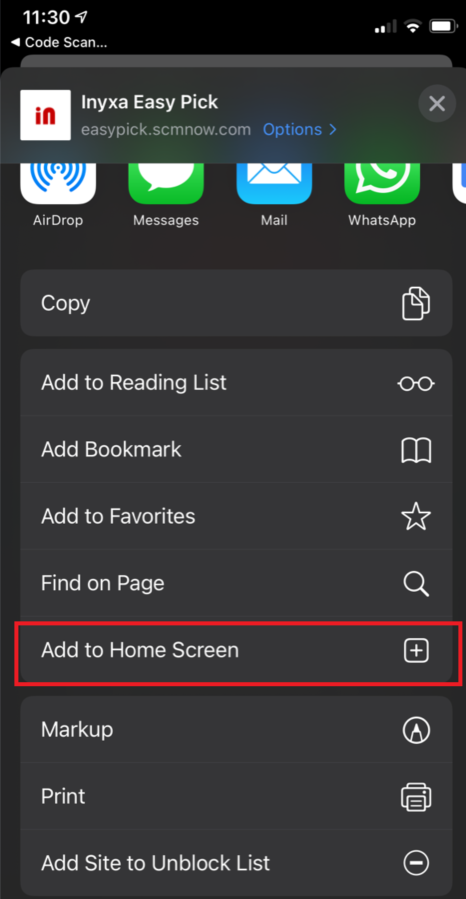
2. If you scanned QR Code, first Open in Safari by clicking Icon. Next Click on Open In icon.
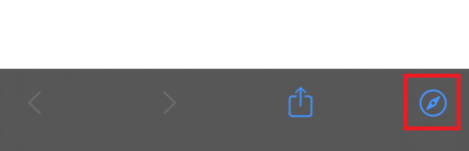
3. From the List of Actions, Select Add to Home Screen Icon for EasyPick app should now be installed.

Setup Scanner to Force Postfix ENTER.
CK65
CT40
CT60
CN80
1. Open App Drawer and tap on “Settings”.
2. In Settings, scroll down then tap on “Honeywell Settings”.
3. Select “Data Processing Settings”.
4. In the Data Processing Settings, tap “Wedge as keys value” and add 13 to the list of values (so values should be 9,10,13) then tap “OK”.
5. Now tap “Suffix” and input the hex value for a carriage return: \x0D. Tap “OK”.
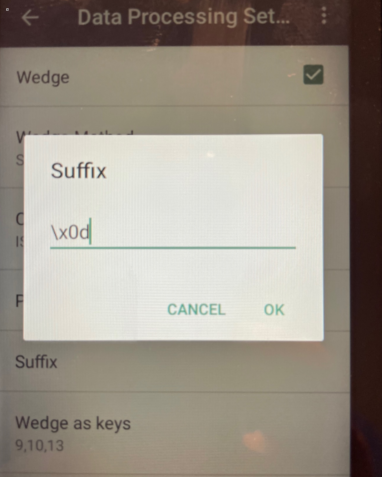
6. The settings are now applied.
Install Mobile App on Android / iOS

This system is for authorized users only. Individual use of this computer system and/or network without authority, or in excess of your authority, is strictly prohibited.
